Your connection.
Made visible.
See whether Telegram and your demo MT5 account are connected. Start or pause new signal copying from the overview. Native mobile apps are not available.
Compatible signals can move from your Telegram channel to a demo MT5 account. Invite-only beta. Trading involves risk, and nothing here promises profits or returns.
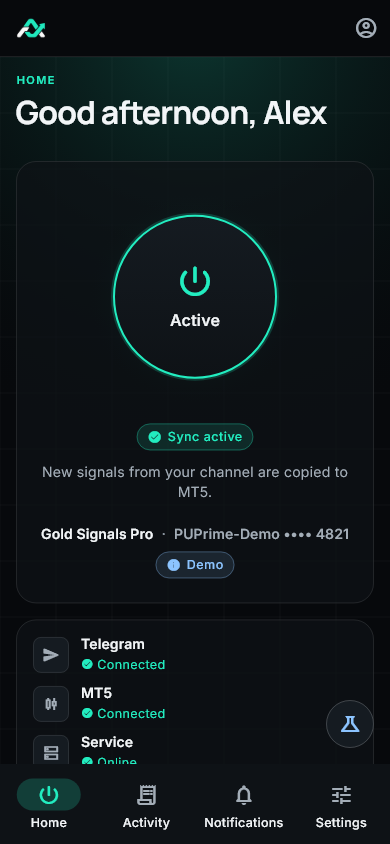
One channel. One demo account. Invite-only beta. Trading involves risk.
Choose a channel you already follow.
Connect a demo account. Set your preferences.
See whether Telegram and your demo MT5 account are connected. Start or pause new signal copying from the overview. Native mobile apps are not available.
Review what happened in your activity feed, without watching the channel all day.
Choose your sizing settings and check the setup that keeps everything connected.
See your connections, review activity, and adjust your preferences in one place.
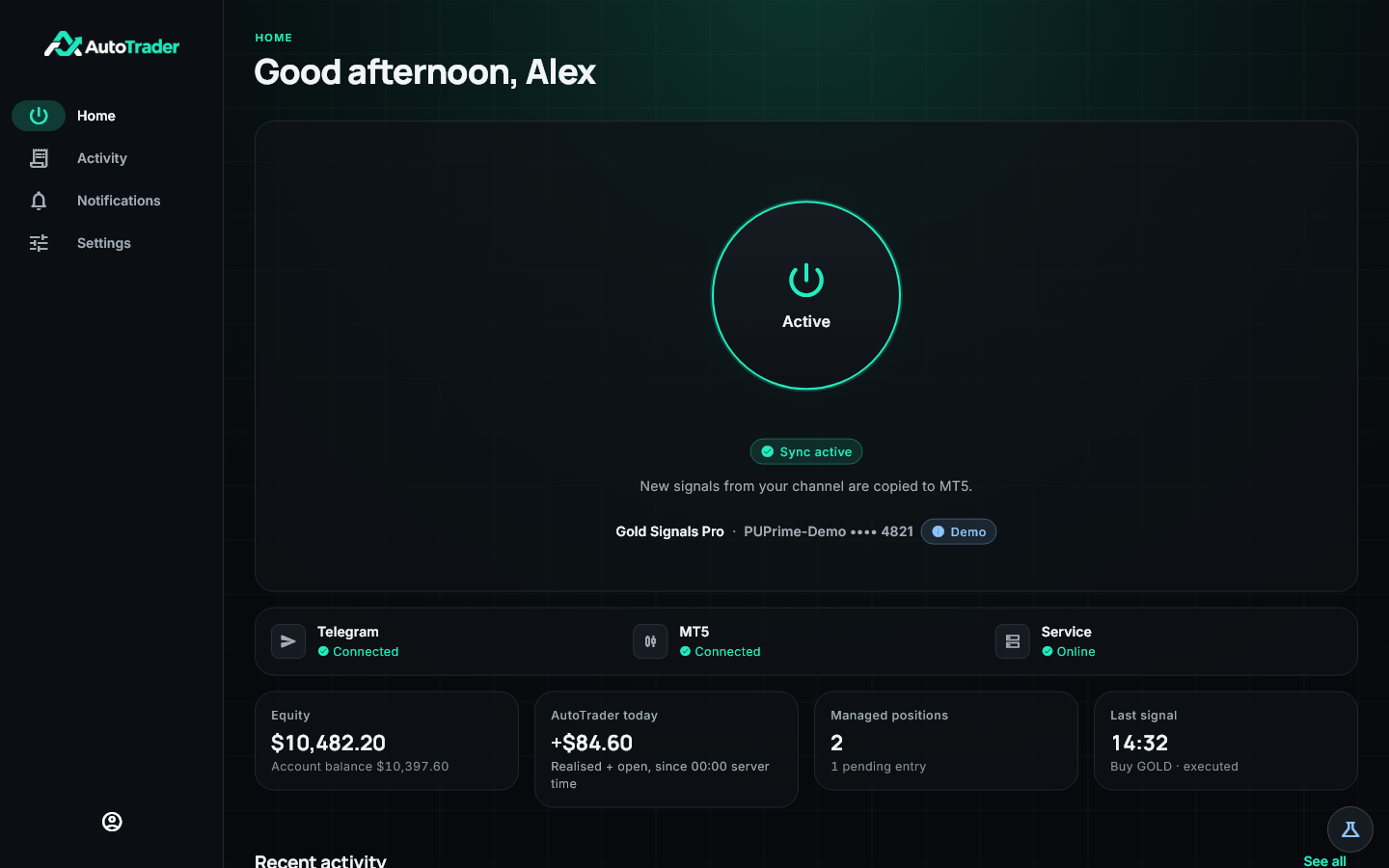
Telegram, your demo MT5 account, and service status are visible from the overview.
Stop new entries while management of existing positions continues.
Choose fixed-lot or risk-based sizing in your preferences.
Screens use simulated data. Invite-only beta. Demo accounts only. Trading involves risk.
Invite-only beta for demo accounts. Native iOS and Android apps are not available. Trading involves risk.
Windows 10 and 11, 64-bit
Sign in with your invite
Start with the essentials.
AutoTrader copies compatible Telegram signals to the demo MT5 account you connect. This is an invite-only beta. Trading involves risk, and automation does not guarantee profits or returns.
An invite to the beta, a Telegram account with access to your signal channel, a demo MT5 account, and compatible signals. Native iOS and Android apps are not available.
Yes. Pausing stops new entries. Management of existing positions continues. Resuming applies to new signals; it does not backfill messages received during the pause.
The invite-only beta is available in the browser and on Windows 10 and 11, 64-bit. Native iOS and Android apps are not available. Demo accounts only. Trading involves risk.
An invite, a Telegram channel, and a demo MT5 account.
Invite-only beta. Demo accounts only. Trading involves risk. Automation does not guarantee profits or returns.